

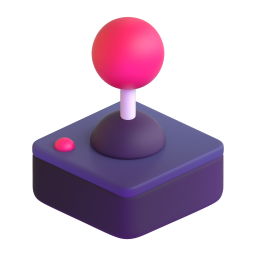
ジョイスティック Emoji
ゲーム, コントローラ, ジョイスティック, スティック, テレビゲーム, ビデオゲーム
無料ダウンロード
ジョイスティック Emoji Meaning
ゲーム, コントローラ, ジョイスティック, スティック, テレビゲーム, ビデオゲーム
How to Use the ジョイスティック Emoji
Copy & paste anywhere
Tap the copy button above to copy the ジョイスティック emoji image, then paste it into any chat, doc, or social bio. Works on iPhone, Android, Windows, and Mac.
Discord & Slack custom emoji
Download the 128×128 PNG and upload it to your Discord server or Slack workspace as a custom emoji — the resolution is optimized for both platforms.
WhatsApp & iMessage stickers
Send the ジョイスティック emoji as a sticker on WhatsApp, or drop it into iMessage reactions. The GIF version brings it to life for extra impact.
Instagram, TikTok & social bios
Use the ジョイスティック emoji in your Instagram bio, TikTok captions, or Twitter/X posts to boost engagement. Emoji-in-caption posts see up to 47% more interaction.
カラーバリエーション


関連する絵文字






Frequently Asked Questions
What does the ジョイスティック emoji mean?
ゲーム, コントローラ, ジョイスティック, スティック, テレビゲーム, ビデオゲーム
How do I copy and paste the ジョイスティック emoji?
Click the copy button on this page to copy the ジョイスティック emoji image, then paste it into WhatsApp, Discord, Slack, Instagram, TikTok or any app that supports images. For the standard Unicode version, tap the emoji keyboard on your phone.
Can I use the ジョイスティック emoji on Discord, Slack or WhatsApp?
Yes. Download the PNG (128px is ideal for Discord/Slack custom emojis) and upload it to your server or workspace. For WhatsApp, send it as a sticker or image. Free downloads are available with no signup.
Is the ジョイスティック emoji free to download?
Yes — every ジョイスティック emoji variant on this page is free to download in 128px PNG. Pro users unlock HD PNG (up to 1024px), SVG, and animated GIF formats, plus commercial-use rights.
What formats can I download the ジョイスティック emoji in?
PNG (128 / 512 / 1024 px), SVG (scalable vector), and animated GIF. PNG is best for chat platforms and social media; SVG is best for design, print, and large displays; GIF is best for reactions and stickers.